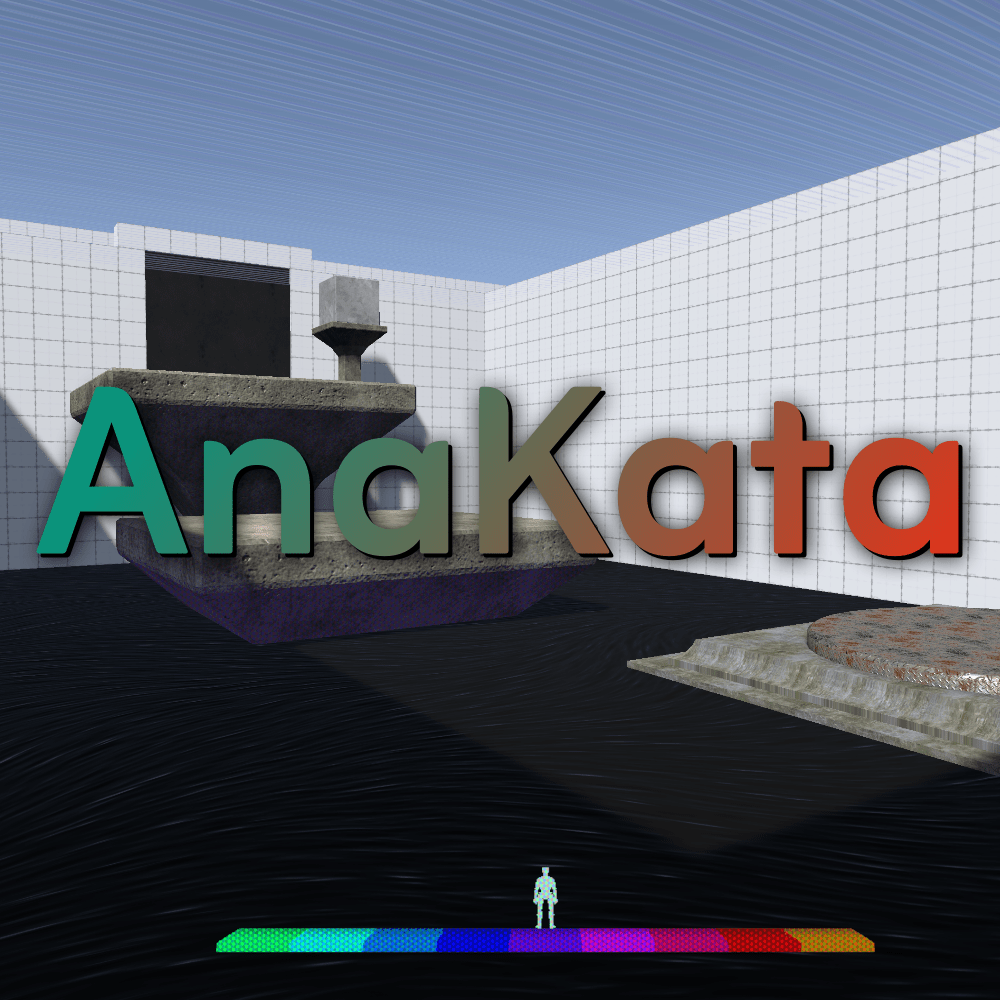
AnaKata is an unreleased 4D First Person Puzzle Platformer. For this project, I am the sole developer.
This game has been shelved, but may be revisited at a future date.
Gameplay puzzle mechanics most closely resemble a Portal-like, just using 4D space as it’s unique puzzle toolkit.
The game never made it past initial prototyping, so all screenshots are shown with only sample assets.
A conversational overview of 4D puzzle mechanic principles:
This game features 12 nearly-identical 3d spaces. A 3d space something like this:
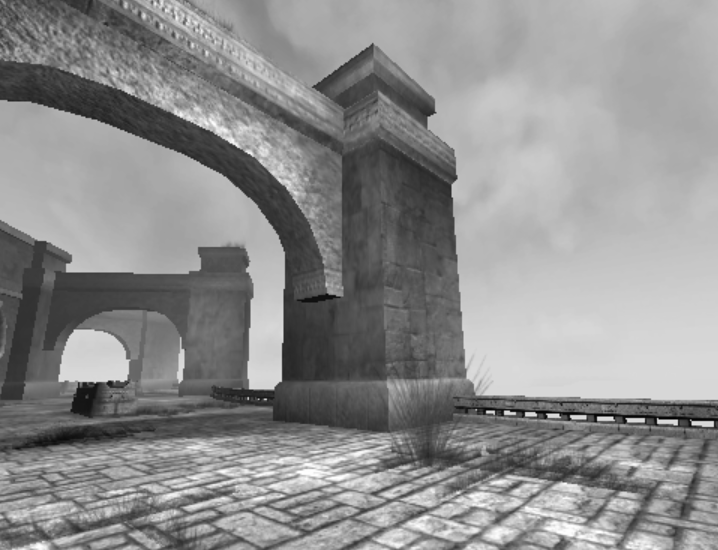
(Image Credit: https://openwiki.kr/unity/comp-imageeffects)
But there are 12 of them, all basically the same.

The player only exists in a single 1 of these 3d spaces.

The player can freely move between these different 3d spaces by pressing either the W or E keys, and they will teleport to the exact same location in the neighboring 3d space.

If the player reaches the one of the far sides, they wrap back around. For example, if the player hit W twice:

If the player changes between the 3d spaces, how would they know if they are all identical?
To make this a bit easier to tell something has changed, let’s assign each 3d space a color and tint it to that color.

Great! Now if the player changes between these 3d spaces, they can tell something changed!
But why? If they are all identical 3d spaces, this would only feel like the screen is changing color, and not that the player has gone to another 3d space. And this is incredibly visually noisy.
Well maybe we can reduce the noise, after all, we really only care about the differences in the 3d spaces. Anything that is the same we does matter to us.

Now we are getting somewhere! We can clearly see which 3d spaces have something different!
What’s more, we can tell exactly where they exist. The large box only is in 1 of the 3d spaces, while the smaller box is in 3 of the 3d spaces.
This is the fundamental concept of 4d spaces in AnaKata. A bunch of 3d spaces that are mostly identical, with any differences displayed as a color indicator representing which 3d space that object is located in.
Wait, 4d space?
Yup, think of 4d space as just a bunch of 3d spaces all sitting “beside” each other.
Not up & down, or left & right or forward & backward, but in a 4th direction.
We call moving along the 4d plane Ana & Kata.
In Latin, Ana refers to “up” and Kata refers to “down”.
When we move to the Left in our diagram, we call that moving Ana.
When we move to the Right in our diagram, we call that moving Kata.
Any more useful terms here?
Sure, let’s talk thickness on the 4d plane.

We can think of the large box (and the player) as having a thickness of 1 in our 4d space, because they only exist in 1 of the 3d spaces.
Similarly, we can think of the smaller box as having a thickness of 3 in our 4d space.
Yup, we have a term for thickness on the 4d plane. This we call it’s spissitude.
Spissitude means the state of being thick or dense.
In AnaKata, spissitude can also be used to refer to an individual 3d space an object may exist in. Such as, the large box is in the orange spissitude.
We have given each of the 12 spissitude in the game a unique color.
We also have a term for 4d dimensional objects in general.
This time we’ll take ours term for Greek:
In 2d, we call geometric objects Polygon.
- Poly meaning Many
- -gon meaning Angles
In 3d, we call geometric objects Polyhedron.
- -hedron meaning Face
In 4d, we call geometric objects Polychoron.
- -choron meaning Room
The plural of Polychoron is Polychora.
Here is a quick cheat sheet of terms and the in-game UI:
4D Terminology Reference
Polychoron = Objects
Spissitude = The space objects take up
Ana = Moving in the positive direction in 4d space
Kata = Moving in the negative direction in 4d space
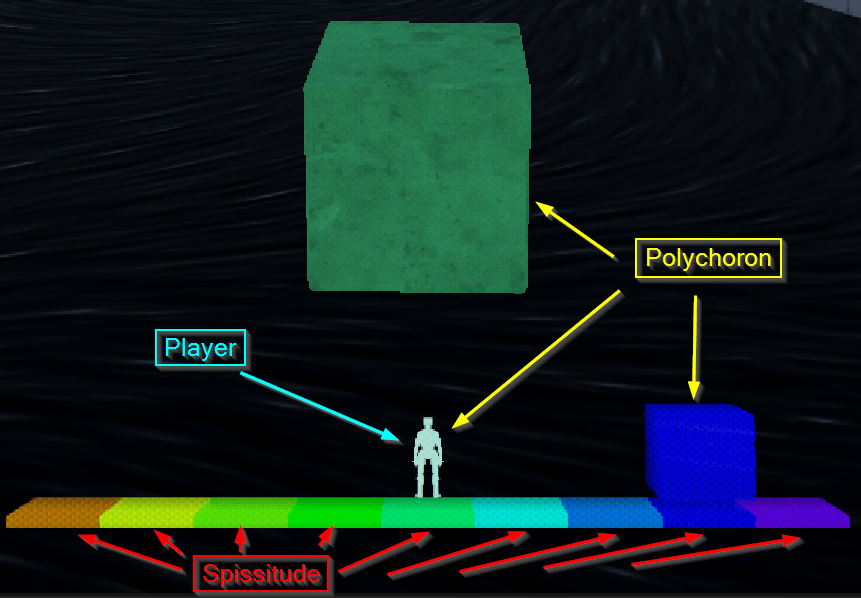
The Player is shown in the center of the UI.
Polychoron are shown in the 3d play area and on the UI.
Each spissitude is color-coded on the UI.
All non-player polychoron are color-coded by their spissitude.
Cool, so what’s the game?
At it’s most basic form, this game is a maze. A 4d-maze.
Think of it as a 3d labyrinth, where obstacles exist that totally block progression until the player moves either Ana or Kata, to navigate around these obstacles using the 4th dimension. This ultimately makes this a 4d labyrinth.
Beyond what we learned above, this labyrinth follows a few rules.
The Rules of the Game
Physical rules:
4D Terminology Reference
Polychoron = Objects
Spissitude = The space objects take up
Ana = Moving in the positive direction in 4d space
Kata = Moving in the negative direction in 4d space
- The player is a polychoron that occupies a single spissitude.
- Just like our examples, this just means the player is in a single one of the 3d spaces.
- The player will interact with polychora that share the same spissitude.
- If the player and a polychoron are in the same spissitude, they will bump into each other.
- The player may be able to pick up a block and move a block if they share the same spissitude.
- Polychoron only interact with other Polychoron that share the same spissitude.
- If two polychora do not have at least one spissitude in common, they will pass through each other.
- If two polychora do have at least one spissitude in common, they can collide with each other.
User Input rules:
4D Terminology Reference
Polychoron = Objects
Spissitude = The space objects take up
Ana = Moving in the positive direction in 4d space
Kata = Moving in the negative direction in 4d space
- The player can move around the 3d space just like any standard FPS game.
- WSAD movement, space to jump, rotating with mouse, etc.
- The player can move Ana or Kata only if doing so would not cause them to be inside a polychoron in the destination spissitude.
- Said differently, if something is already in the space the player is attempting to move into, they are blocked by the thing already occupying that space, just like they are when moving around a 3d space.
Visual rules:
4D Terminology Reference
Polychoron = Objects
Spissitude = The space objects take up
Ana = Moving in the positive direction in 4d space
Kata = Moving in the negative direction in 4d space
- The player can see polychora that share the same spissitude.
- Note: Polychora that do not share a spissitude will not interact (more on this later)
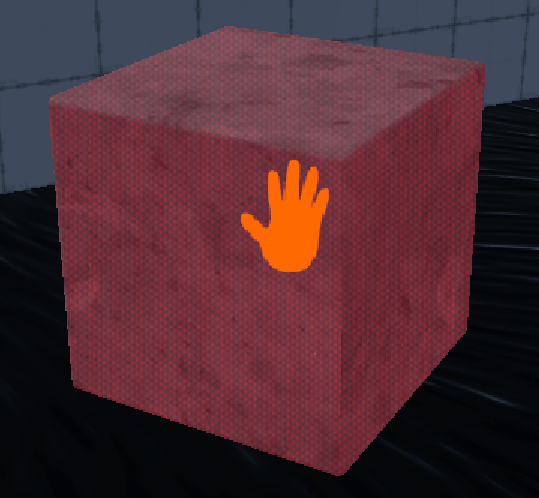
An in-game screenshot of a polychoron in the red spissitude, and the Grab HUD element indicating it can be picked up/held by the player.
- The player can see the spissitude of a held polychoron.
- This represents the player being able to feel the shape of the held object in 4d space.
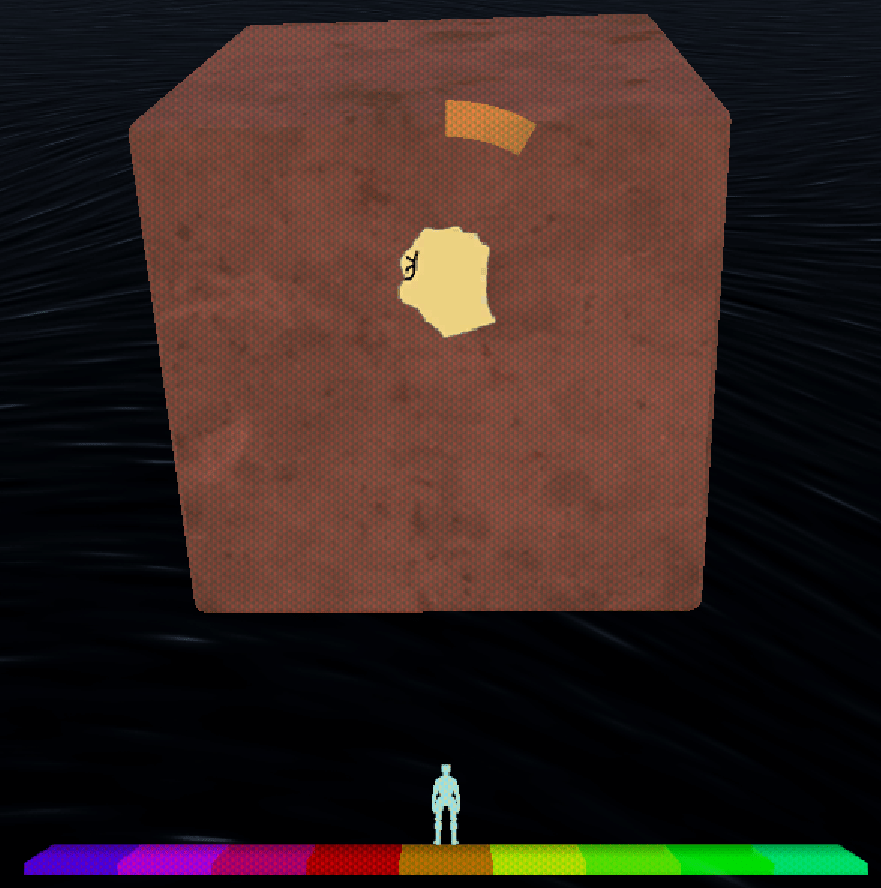
An in-game screenshot of the player holding a polychoron in the orange spissitude, and the Hold HUD element indicating is picked up, and the radial indicator showing held object is present the orange spissitude.
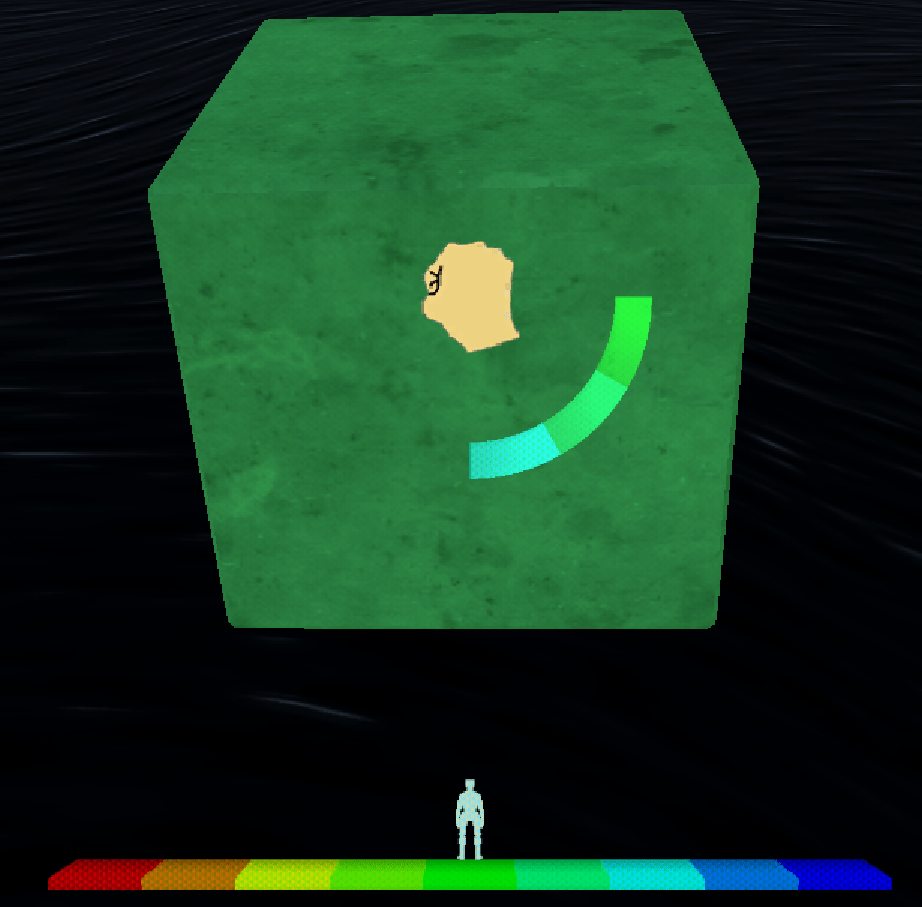
An in-game screenshot of the player holding a polychoron in the green spissitude, and the Hold HUD element indicating is picked up, and the radial indicator showing held object is present 3 spissitude (teal, teal-green, and green).
- The player can see any polychora in all spissitude not sharing the spissitude of the player.
- This is represented as by a transparent version of each polychoron that fades in and out ever few seconds.
- The color of each transparent polychoron is always the color of nearest spissitude to the player’s spissitude.
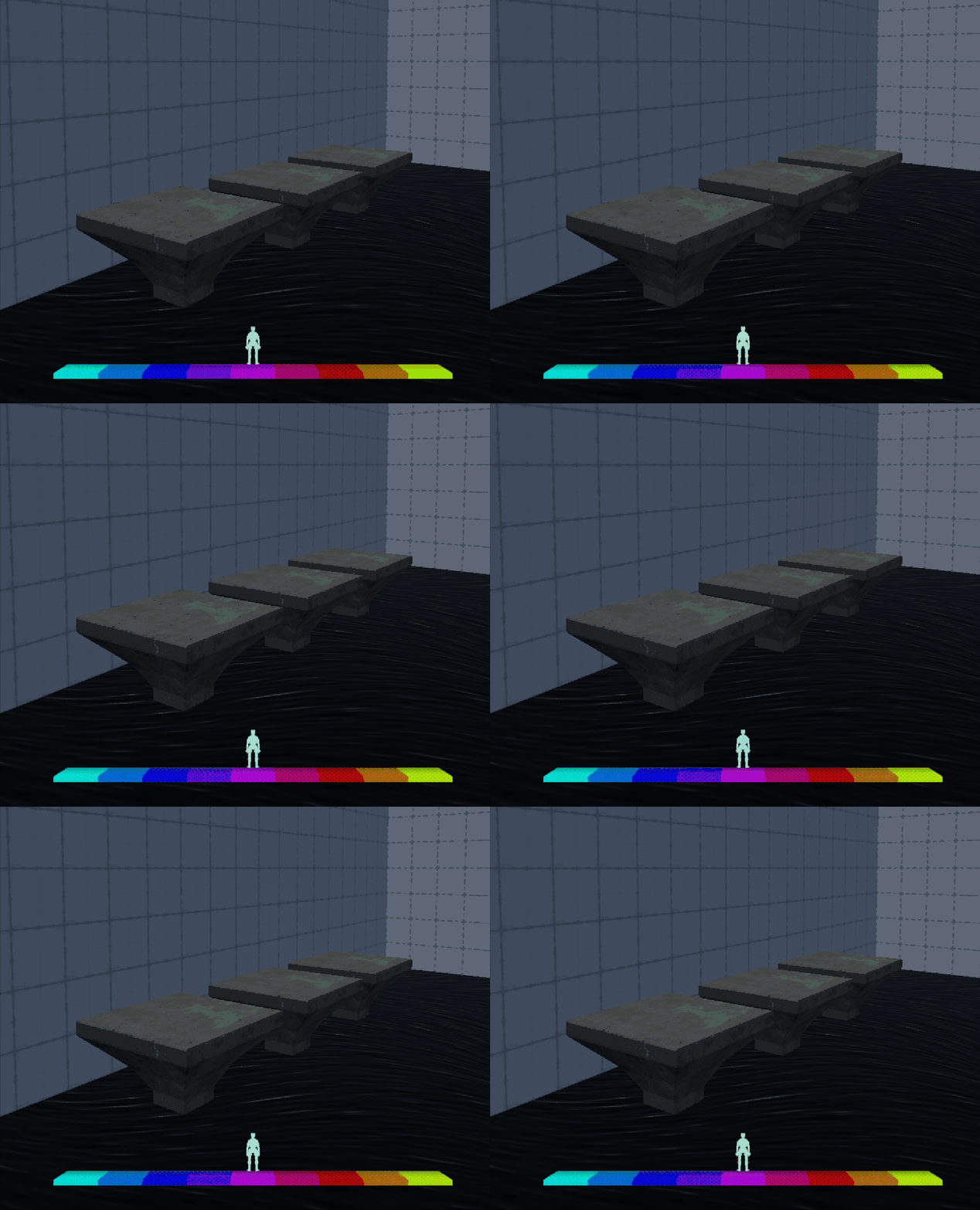
An in-game screenshot of 3 polychoron in different spissitude. The nearest polychoron is in the blue spissitude, followed by green and orange. The player is in the pink spissitude so none of the polychoron are rendered as an opaque material.
- The player can see what spissitude they are currently blocked from entering by an obstructing polychoron.
- This represents the player being able to see any obstructions in 4d space.
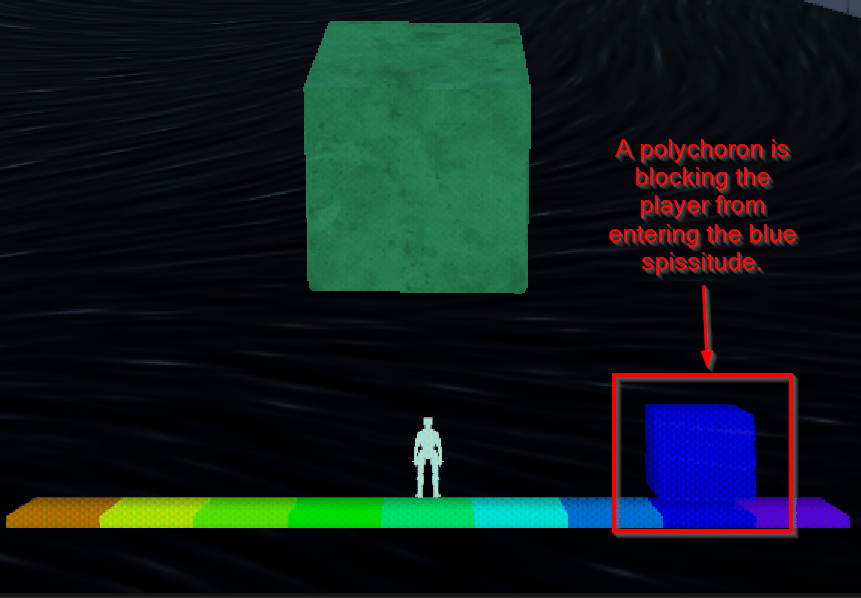

An in-game screenshot of the HUD showing the player starting in the red spissitude, moving Kata 3 times, and then attempting to move Ana 4 times, but a polychoron in the orange spissitude blocking the player.
- The player can see the spissitude of any polychoron they are standing on.
- These are called the grounding spissitude indicators, as they indicate in what spissitude the player would be on solid ground.
- These represents the player being able to feel the shape of what they are standing on in 4d space.
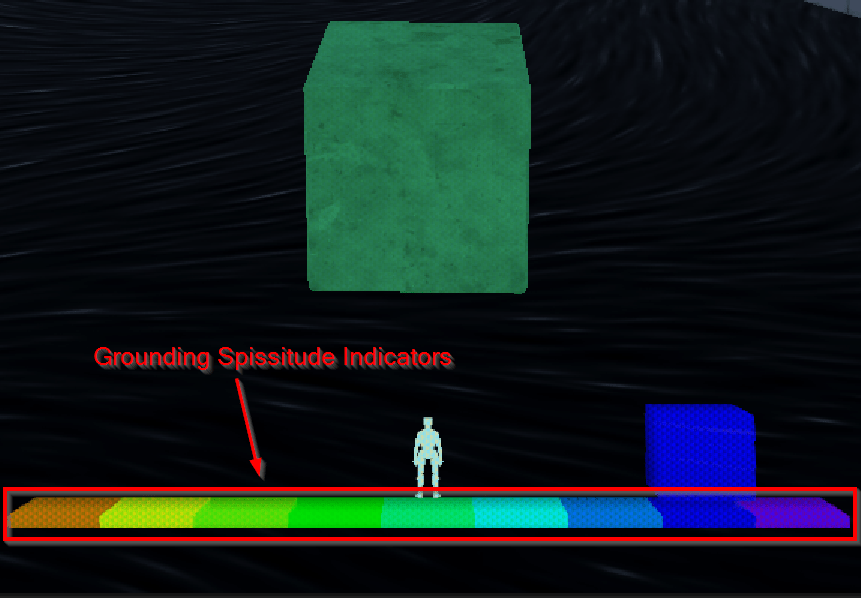

An in-game screenshot of the HUD showing the player standing on a polychoron that is only the orange spissitude.

An in-game screenshot of the HUD showing the player jumping and becoming airborn. The grounding spissitude indicators fade, showing they are not standing on anything. Once they land on the ground again, the grounding spissitude indicators return.

An in-game screenshot of the HUD showing the player in the teal spissitude standing on a polychoron that is 3 spissitude thick. The player moves Ana, and falls to the ground.
- The player can see if any polychora blocking them are short enough that they could get on top of if they jumped.

An in-game screenshot of the HUD showing the player in the green spissitude with 2 polychora.
One polychoron is in the orange spissitude and is shown at full-height.
The other polychoron is in the green-teal spissitude and is shown at half-height.
The player jumps and moves Ana in mid-air, landing on top of the polychoron is in the green-teal spissitude.
How to check out this game:
Reach out to me and I’ll likely send you a key. This project was more of a passion project that helped me learn the Unity engine 🙂
 Dimpled Robot Games
Leave a comment